LATW Cloud for Starlight
No plugin, no app · Connect with a Git provider token

AI translation for Starlight: your whole docs site in every language

Create a Git provider token in Starlight, paste it in LATW Cloud and AI translates your content in the background, straight into Starlight language folders under src/content/docs/.

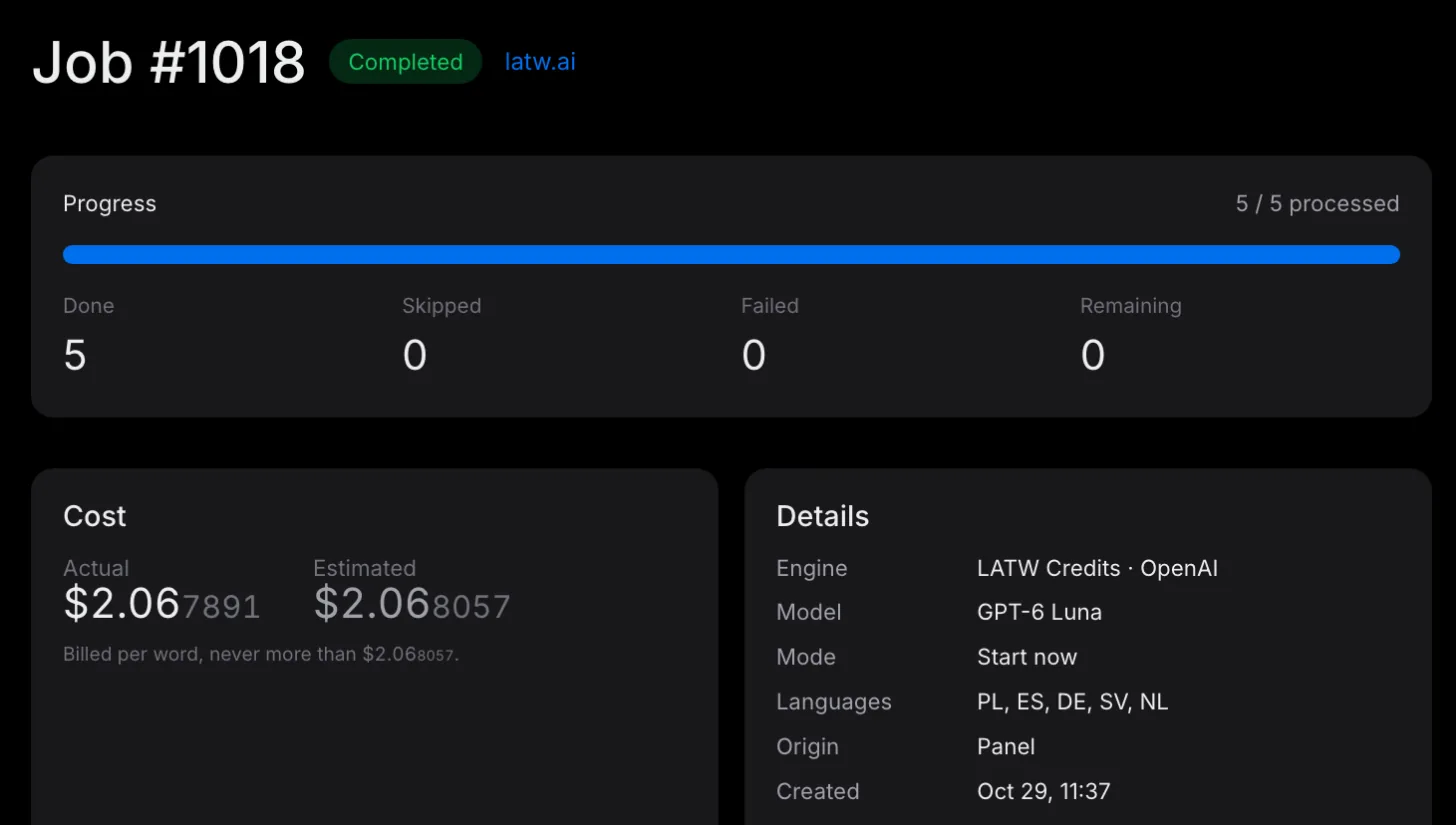
A finished LATW Cloud job in the panel: 5 of 5 items translated into Polish, Spanish, German, Swedish and Dutch with GPT-6 Luna, for an actual cost of $2.07

LATW Cloud translates your content with AI and writes every translation back into Starlight, exactly where you would type it by hand.

Translations live in Starlight, not in a proxy

LATW Cloud writes every translation into Starlight language folders under src/content/docs/, the same place it would land if you typed it in Starlight yourself. Starlight serves every language itself, and a translation only ever touches its own language.

  • Saved in Starlight language folders under src/content/docs/
  • No plugin and no app
  • Primary language never touched
  • Token stored encrypted, replaceable any time
  • Every language stays in Starlight if you disconnect
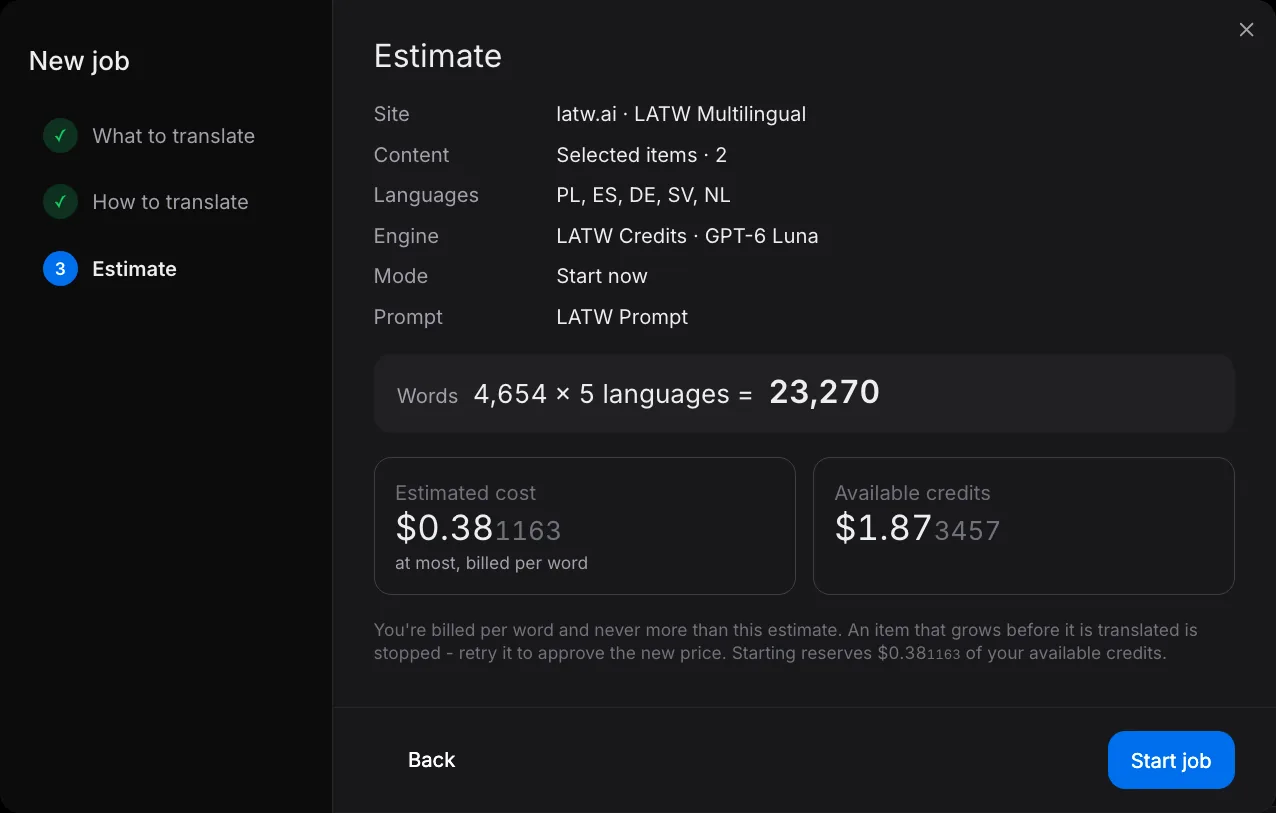
The estimate step of a new LATW Cloud job: the site, languages, engine and prompt, the words times languages, and the cost shown before the job starts

From a token to a multilingual Starlight in minutes docs site

Nothing is installed on your docs site. Languages, the AI model, glossary, prompt and budget are set in the LATW Cloud panel, and that is where you order translations.

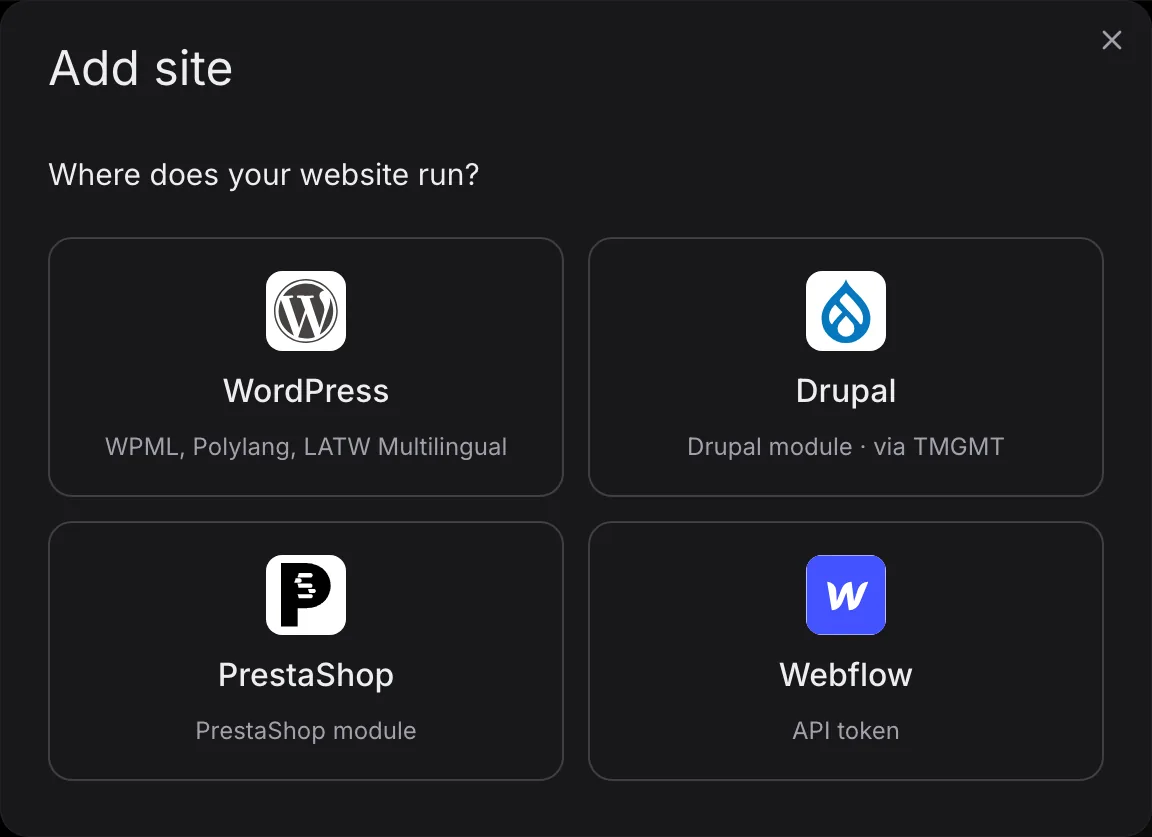
The Add site dialog in the LATW Cloud panel, asking where your website runs, with the platforms LATW Cloud connects to
  1. Set up your languages

    An Astro Starlight site with locales configured in astro.config (a default locale and the target locales). Add the languages you want to translate into.

  2. Create a Git provider token

    Create a fine-grained token in GitHub (Settings → Developer settings → Personal access tokens) with Contents and Pull requests read and write access to the docs repository; GitLab and Bitbucket tokens work the same way.

    GitHub → Personal access tokens
  3. Paste it and connect

    Create a free LATW account, choose Sites → Add site → Starlight, paste the token and press "Connect site". LATW Cloud checks the token before it saves anything.

    Sites → Add site → Starlight
  4. Translate - and close the tab

    Pick the items in the Content tab, choose languages and a quality class. You see the cost before the job starts; LATW Cloud translates in the background and writes each language into Starlight.

Pages, navigation and UI strings - code blocks left alone

Markdown and MDX pages, front matter titles and descriptions, sidebar and navigation labels. Translate one page, one section, or the whole docs site in one job.

Pages

  • Markdown and MDX pages in src/content/docs/
  • Front matter title, description and hero text
  • Asides, tabs and cards kept intact
  • Code blocks left as they are

Configuration

  • Sidebar labels with translations
  • Site title and social links labels

UI strings

  • Starlight UI strings per language
  • Custom components' translated strings

AI translation in the quality you need

Choose the quality for each site, then make every translation sound like you: a custom prompt for your voice and a glossary for your terms.

Tell the AI how your brand speaks

Describe your audience, tone and style rules once - formal or casual, short sentences, how to address the reader. Save it as a preset and reuse it on all your sites.

Your terms, translated your way. Every time

Pin brand names, product terms and words that must never be translated. Share one glossary across sites, and import or export it as CSV.

Or let your own AI agent translate

Connect Claude, ChatGPT, Cursor, n8n or your own agent to LATW Cloud and ask it to translate. The agent translates with its own model, and LATW Cloud checks every translation and saves it to your site - no Credits used.

What your site costs to translate

Move the sliders and pick a quality class. You see the Credits the job takes and the cheapest way to pay for them - the same estimate LATW Cloud shows before every job.

50,000 words
1,000500,000
4 languages
120
Quality

Words are counted in your source text, once per target language. Batch mode (from Solo) takes half the Credits. Your first site's 10,000 free words are not counted here. Prices in USD, net.

Credits the job takes

-
Cheapest way to pay for it

-
Compare the plans

Pricing

Credits pay for the AI translation itself, and each plan includes them: every month, or the whole year on day one with yearly billing. Need more? Add a pack any time.

Solo Save $72
$15$9/ month
billed $108 yearly
10,000 Credits a month 120,000 Credits on day one · 1 site
1 glossary · 50k agent words / month
Choose Solo Plan
Startup Save $120
$35$25/ month
billed $300 yearly
25,000 Credits a month 300,000 Credits on day one · 5 sites
5 glossaries · 250k agent words / month
Choose Startup Plan
Agency Save $240
$99$79/ month
billed $948 yearly
80,000 Credits a month 960,000 Credits on day one · 30 sites
30 glossaries · 1M agent words / month
Choose Agency Plan

Every paid plan includes

Payment secured by Stripe Visa Mastercard
  • LATW Credits every billing period
  • Your own AI keys (BYOK), including OpenRouter
  • Batch mode for half the Credits
  • Translate with your own AI agent (MCP)
  • More Credits: 10,000 for $5
  • Pack Credits never expire
  • Upgrade any time, the difference arrives at once
  • Glossaries and prompt presets shared across sites
Free Plan
$0 Forever
Start free
  • 10,000 free words on Economy for your first site
  • Sites: 1
  • Engines: LATW Credits only
  • Jobs: Manual and bulk
  • Glossaries: 1
  • More Credits: 10,000 Credits for $12 or 2,000 Credits for $4

Requirements and limits

What you need

  • An Astro Starlight site with locales configured in astro.config (a default locale and the target locales)
  • Admin access to the docs site in Starlight, to create the token
  • A LATW account - free to create

Good to know

  • Code blocks, inline code, URLs and component names are kept exactly as written; only the text around them is translated.
  • It is AI translation: review is up to you, in the pull request. There is no human translator service in LATW Cloud.
  • Translations are committed as a pull request; your Astro build publishes them when you merge it.
  • Disconnecting removes the token from LATW Cloud. Translations already saved stay in Starlight.

One LATW account for every platform you build on

Run more than Starlight? The same account, Credits balance, glossaries and prompts work on every platform LATW Cloud connects to - and one plan counts sites across all of them.

Frequently asked questions (FAQ)

We're here to help with all your questions and answers in one place. Can't find what you're looking for? Reach out to our support team directly.

More about the service: LATW Cloud LATW Cloud vs Weglot

Ask AI about LATW Cloud for Starlight
Can Starlight translate automatically with AI?

Yes. LATW Cloud connects to your Starlight docs site with a Git provider token, reads its content, translates it with AI and writes the translations into Starlight language folders under src/content/docs/. You pick the languages and a quality class in the LATW Cloud panel, see the cost in Credits up front and start the job.

Do I need a plugin or an app for Starlight?

No. LATW Cloud works through the Starlight API. You create a Git provider token and paste it in the LATW Cloud panel. Nothing is installed on your docs site.

What does the Git provider token need access to?

Read and write access to the repository contents and pull requests of the docs repository. LATW Cloud stores the token encrypted, shows only its last four characters and uses it only for your docs site. You can replace it any time.

What does it translate on a Starlight docs site?

It translates Markdown and MDX pages, front matter titles and descriptions, sidebar labels and the UI strings of each locale.

How much does it cost to translate a docs site with AI?

LATW Cloud runs on Credits: a word takes 0.05 Credit on Economy, 1 on Standard and 5 on Premium. A docs site with 30,000 words takes 1,500 Credits per language on Economy. Solo at $15 a month includes 10,000 Credits every month, or start Free and buy 10,000 Credits for $12 when you need them. A Starlight docs site takes one site slot and works on every plan.

What must I set up in Starlight first?

Languages come first. You need an Astro Starlight site with locales configured in astro.config (a default locale and the target locales). LATW Cloud never changes your primary language and writes each translation into its own language.

Will it overwrite translations I made in Starlight?

A job translates the whole items you select, also those translated before, and overwrites their texts in the target languages - including your own corrections. Select only what you want translated again, so you pay only for that.

Can I use my own OpenAI or other AI API key?

Yes, on every paid plan from Solo at $15 a month. You pay your AI provider directly and LATW charges only for the plan; you can also mix your own keys and LATW Credits per site.

Can my own AI agent translate my Starlight site (MCP)?

Yes, on every paid plan from Solo. LATW Cloud has an MCP server: connect Claude, ChatGPT, Claude Code, Cursor, Codex, n8n or your own agent with your LATW account - no key to copy - and ask it to translate, for example "translate all missing products into German". The agent translates with its own model and LATW Cloud checks every translation and writes it to your site, with no Credits used: Solo includes 50,000 agent words a month, Startup 250,000 and Agency 1 million. For big jobs the agent can start a regular LATW Cloud job instead - it shows you the price first.

What data does LATW Cloud get from my Starlight docs site?

Connecting sends LATW Cloud the docs site's name and its languages; after that it reads only the content chosen for translation. Text is deleted 7 days after the job, LATW Cloud is hosted in the EU and a DPA is available in your account.

What happens to my translations if I disconnect?

They stay in Starlight. Disconnecting makes LATW Cloud stop using the token and forget it; Credits from packs never expire. For safety, also delete the token in Starlight.