 LATW AI Translation for Loco Translate
The most advanced AI translation for .po files
extension for Loco Translate | powered by chatGPT



 .po / .mo
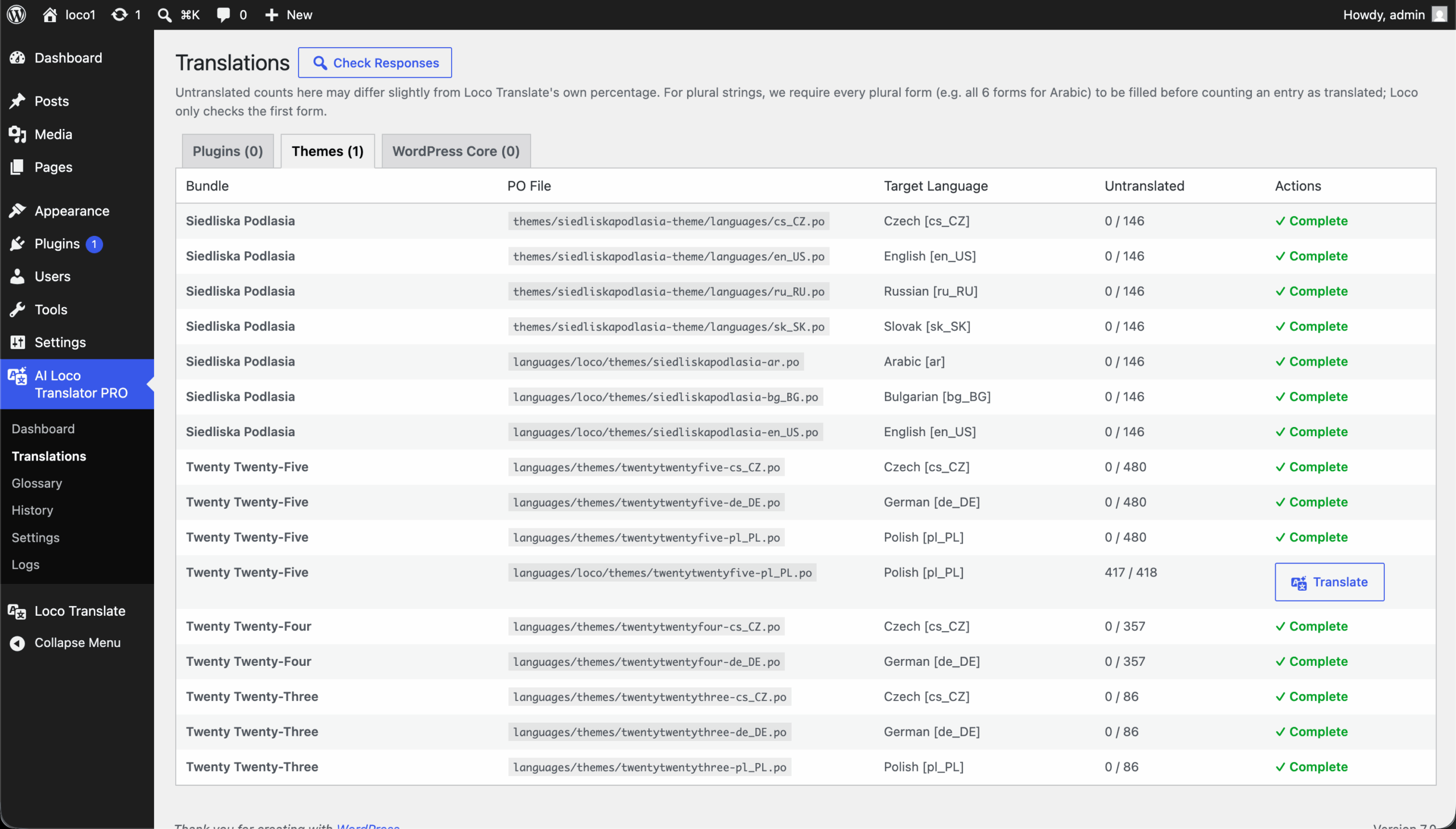
Files, not strings
Instead of clicking through hundreds of empty fields by hand, queue an entire .po file - plugin, theme or whole store - with a single button.
Background, not blocking
A WP-Cron worker dispatches jobs and polls OpenAI. The panel never freezes - close the tab and come back when it's done.
Don't use this plugin if
You don't use Loco Translate
LATW plugs into the free Loco Translate plugin. Without it there's no editor to extend and no .po files to queue.
You enjoy string-by-string entry
If you have time and like typing every translation manually - including plurals and metadata - you won't need this.
You won't use an OpenAI key
Translation runs on your own OpenAI API key. No key means no AI translation - there's no bundled credits model.
Four simple steps to start
Start translating immediately, without unnecessary configuration.
Get pluginDownload plugin, install & activate
Get the latest .zip file. Go to Plugins > Add New in your WordPress dashboard and upload the file.
Enter OpenAI API Key
Navigate to the plugin Settings > General and paste your api key.
Add website context (Optional)
Describe what your website is about and how it serves your audience.
Enter License Key
Navigate to the plugin Settings > API Key and paste your license key from this dashboard.
Translate
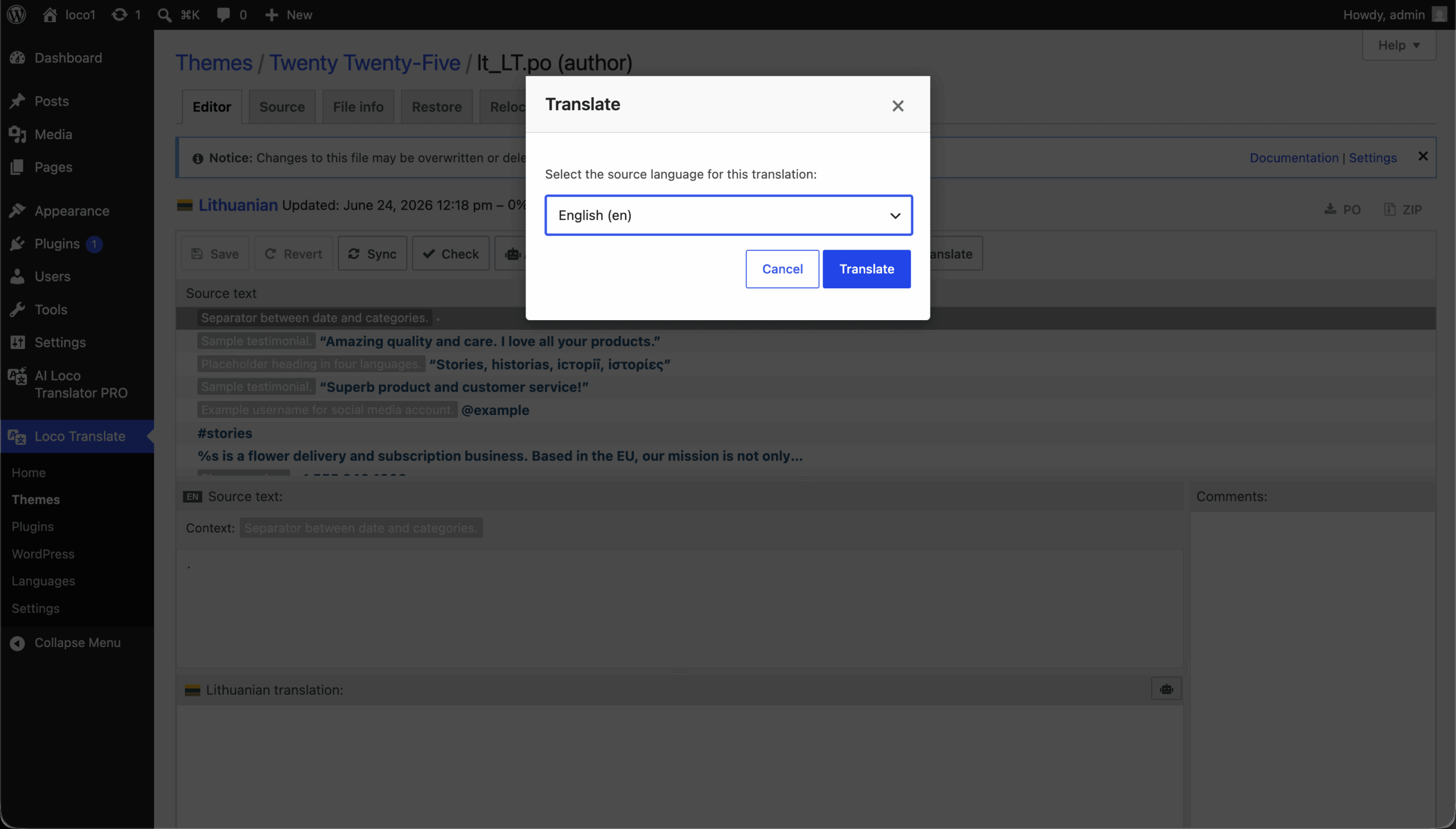
Open a .po file or the Translations tab and click AI Translate to queue it in the background.
Features
AI Translate in the Loco editor
One button queues the current file - only on real, writable .po files, never on .pot templates.
Translations tab
Every .po grouped into bundles with an untranslated-string counter. Target language read from the file locale.
Background processing
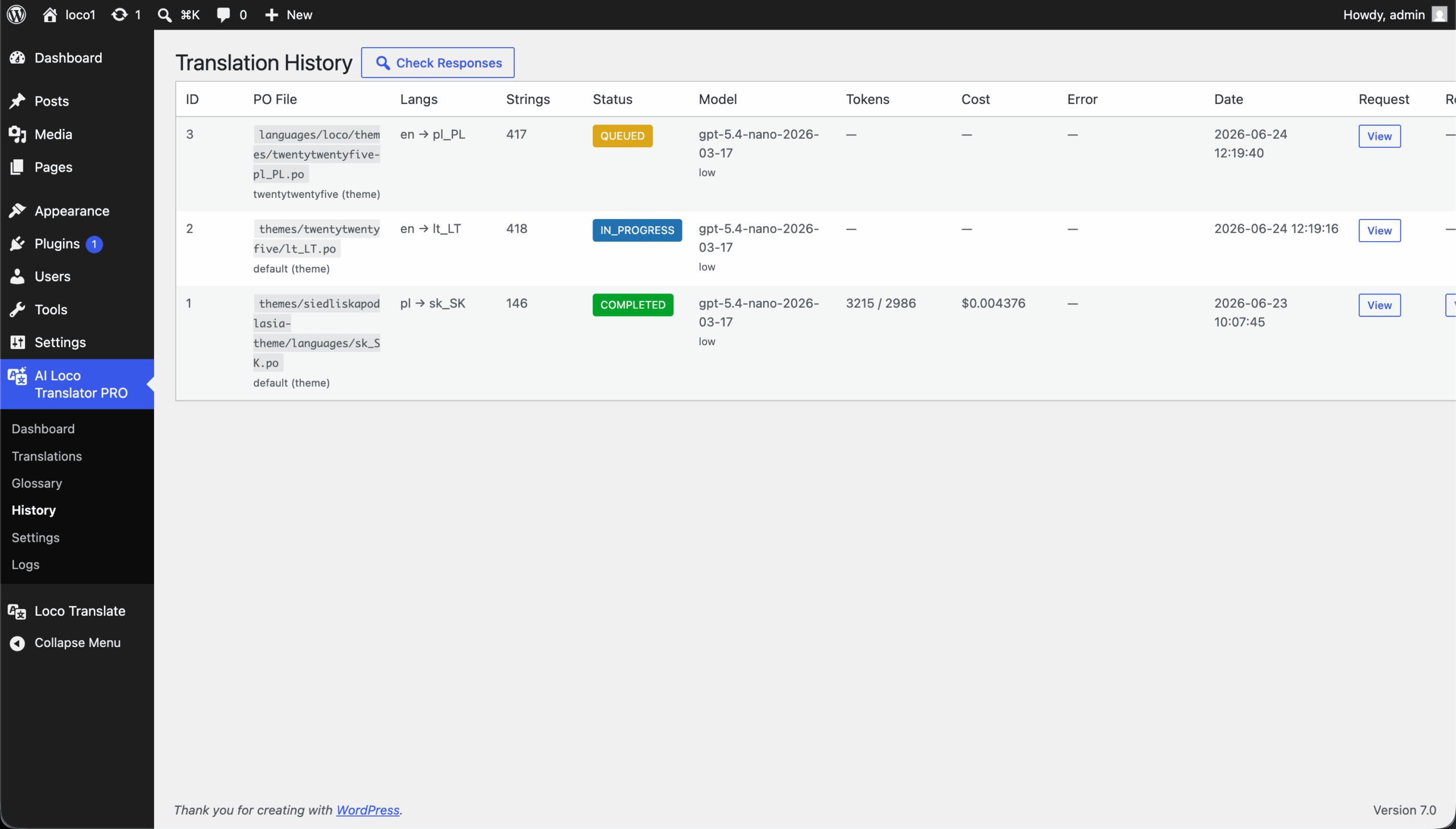
A WP-Cron worker dispatches jobs and polls OpenAI for readiness - close the tab any time.
Smart chunking
Big files split into ~20,000-character chunks, up to 50 parallel requests - large stores finish fast, no timeouts.
Plural-aware
Recognises the Plural-Forms rule per language (3 for Polish, 6 for Arabic…) and commits only when every slot is filled.
Glossary
Force exact translations for chosen terms; CSV import/export with smart language-pair matching.
Dashboard, history & cost
Stats, queue and cron health in one place; every job logs its model, tokens, cost and raw request/response.
Safe & resilient
Path validation, file & cron locks, retries and job claiming. Manual dispatch mode when hosting blocks WP-Cron.
Better than the other Loco add-ons
Other add-ons translate through Google / DeepL / Chrome AI - or make you copy & paste into ChatGPT...
No migration, no lock-in: LATW works on the standard .po / .mo files you already use. You pay OpenAI directly, with full cost transparency per job.
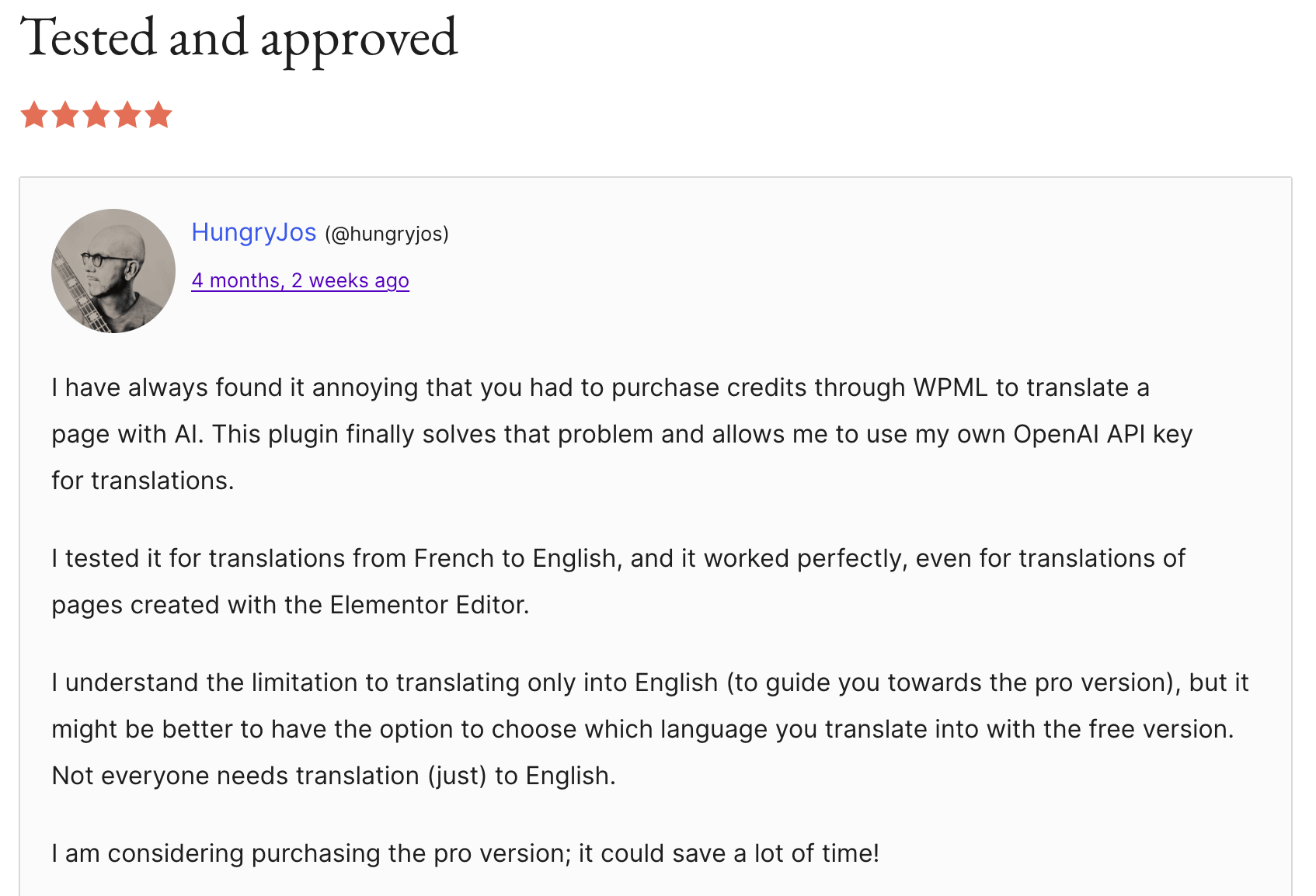
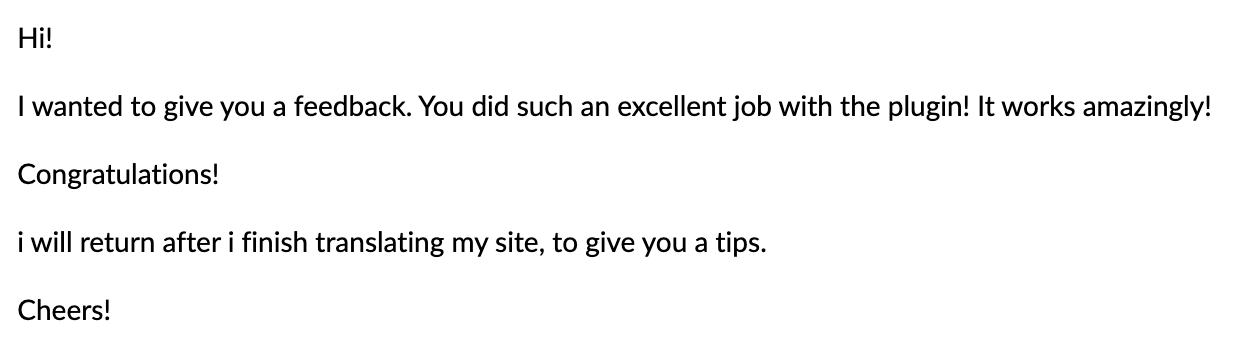
Loved by developers and site owners
Real reviews from WordPress.org and feedback users sent us by email.
Check reviews on WordPress.org →









I'm Szymon
I've been coding for about 8 years, and honestly, I just enjoy sitting in my room and building things. Apps, plugins, side projects… especially the kind that make work easier, faster, or less annoying.
The first plugin started as an internal tool for another project of mine - Wishgram. We wanted to reach more people with our blog in different languages, but startup budgets are tight and premium auto-translation was way too expensive for us. So I built my own solution for automatic translations. After using it for a while, I realized how ridiculously good it was - and keeping it to myself just didn't make sense.
My goal is simple: build plugins that help people translate WordPress sites cheaply, quickly and with real quality. WPML and Loco Translate are just the start - same mission, different tools.
Pricing



Works with everything Loco Translate handles
Plugins, themes and WordPress core - every .po file on your site is detected, translated and recompiled, so nothing is left behind.
Frequently asked questions (FAQ)
We're here to help. Can't find what you're looking for? Reach out to our support team directly.
Do I need WPML or Polylang?+
No. LATW works on the standard .po / .mo files that plugins, themes and WordPress core already use - there's no multilingual framework to migrate to.
Do I need my own OpenAI API key?+
Yes. You provide your own key and pay OpenAI directly for token usage - no middleman markup, and the plugin author never sees your content or usage.
Will it overwrite my existing translations?+
No. LATW only touches empty msgstr, so partially hand-translated files stay safe - your polished strings are never replaced.
Why don't translations show up with other tools?+
WordPress 6.5+ uses a compiled .l10n.php cache. LATW recompiles .mo and regenerates that cache after every job, so translations appear on the front end immediately - many tools skip this step.
What if my host blocks WP-Cron?+
There's a Manual Check Responses mode with a manual dispatch button, so jobs keep moving even when scheduled cron is unavailable.
Can it handle large stores and themes?+
Yes. Large files are split into ~20,000-character chunks with up to 50 parallel background requests, so big WooCommerce stores finish quickly without browser timeouts.
Do you offer refunds?+
Yes. Every paid plan comes with a 14-day money-back guarantee. If the plugin is not right for you, email szymon.zawadzki@llm-automatic-translation.top within 14 days of purchase and we will refund the licence fee in full, no questions asked. The refund covers the plugin licence only - the tokens you paid OpenAI for are billed by OpenAI and are not refundable by us.
Translate your whole site right now
Get a plugin that translates your WordPress plugins, themes and store quickly, cheaply and safely - right inside Loco Translate.
Get plugin