 LATW AI Translation for WPML
Translate WPML sites for free, or really cheap
add-on for WPML | replace WPML Automatic Translation







Seven translation engines, one plugin
Each engine keeps its own API key and its own model, so switching back and forth costs you nothing. Pick the best engine for each language, budget or deadline - MyMemory even runs FREE without an API key.

OpenAI

Anthropic (Claude)

Google Gemini

DeepL
Google Translate

MyMemory
Custom endpoint
MCP: translate straight from your chat with Claude or ChatGPT
Connect your site once, then just ask the assistant you already pay for to translate a post, a page or a product. It reads the content through WPML, translates it, and writes the translation back.
No API key, no second bill
Translation runs inside the Claude or ChatGPT subscription you already have. Nothing is charged per token on top of it.
Conversation, not a settings panel
Ask for one post or a whole category, fix a term, redo a paragraph in a different tone. The context stays in the chat.
Written back into WPML
Translations are published straight away as WPML-linked posts, with the original structure, blocks and internal links intact. Slugs can be translated too.
See how much you save
Move the slider to set how many pages or posts you need translated (~3,000 words each) and compare the cost.
Estimate only. MCP translation runs inside your Claude or ChatGPT subscription, so it adds no API cost (Pro feature). Assumes ~3,000 words per article. WPML cost based on the public PTC pricing table (4 credits/word, tiered volume pricing). Plugin cost based on GPT-5.4-nano pricing ($0.20 / 1M input tokens, $1.25 / 1M output tokens), estimating input tokens as 2× word count and output tokens as 1× word count. Both costs are multiplied by the number of target languages selected. Actual costs depend on content and OpenAI/WPML pricing at time of use.
NOT use this plugin if
You don't use WordPress + WPML
This plugin is built only for WordPress websites using WPML - it won't work with other CMSs or multilingual setups.
You're happy overpaying for WPML Auto Translate
If you prefer paying premium prices for WPML credits instead of raw AI token costs, this plugin is not for you.
You enjoy manual copy-paste workflows
If you have plenty of time and like copying text back and forth between your site and translation apps - including fixing formatting and metadata - you won't need this plugin.
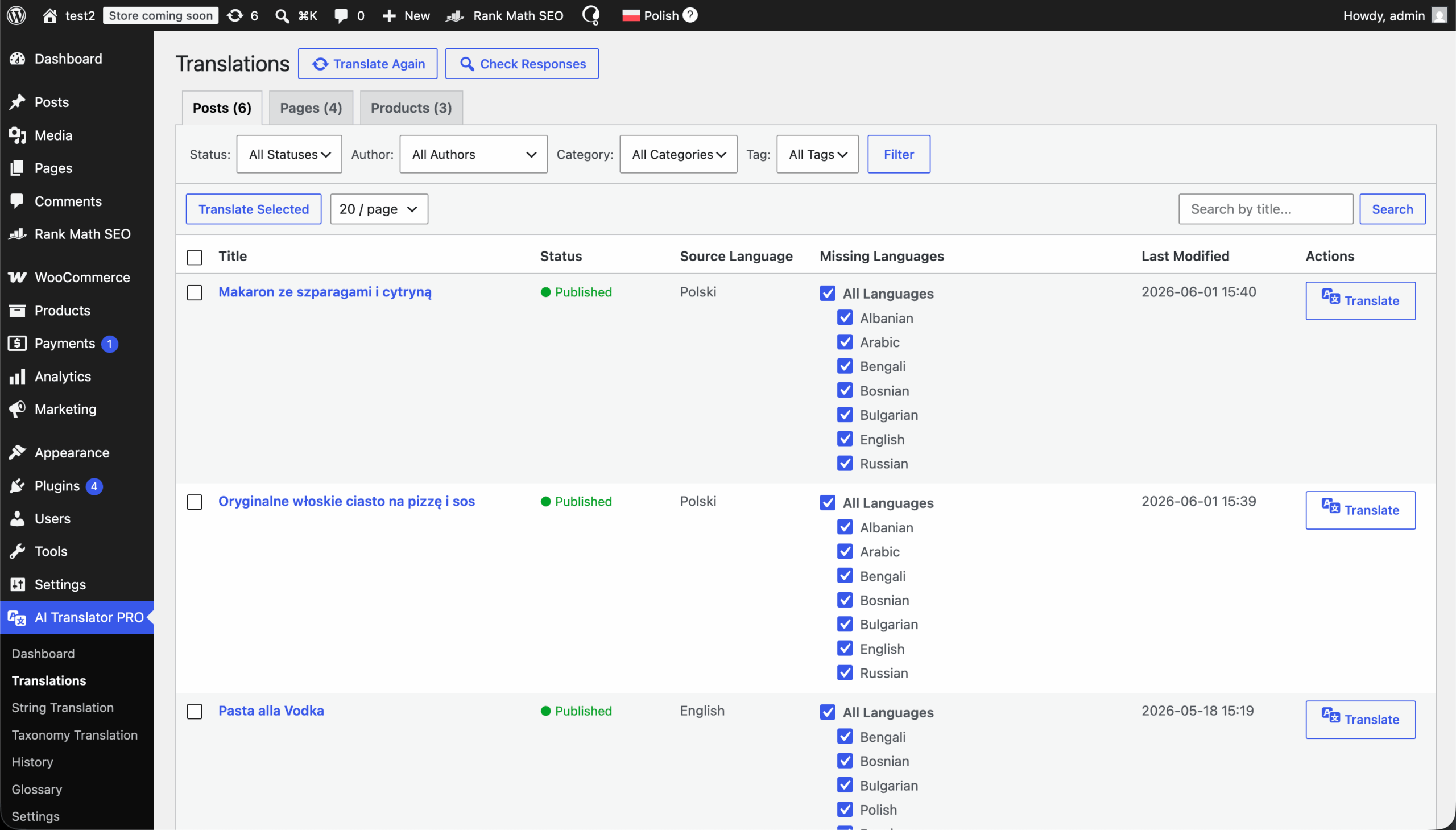
Four simple steps to start
Start translating immediately without unnecessary configuration.
Get pluginDownload plugin, install & activate
Get the latest .zip file. Go to Plugins > Add New in your WordPress dashboard and upload the file.
Pick an engine & enter its API key
Navigate to the plugin Settings > General, choose OpenAI, Anthropic, Gemini, DeepL, Google Translate, MyMemory or a Custom endpoint, then paste that engine's api key and pick a model. Starting with MyMemory needs no key at all, and the Custom endpoint's key is optional too.
Add website context (Optional)
Describe what your website is about and how it serves your audience.
Enter License Key
Navigate to the plugin Settings > API Key and paste your license key from this dashboard.
Translate
Select content and submit for translation.
Features
One-Click Translations
Translate posts, pages, custom post types, taxonomies, ACF fields and SEO metadata instantly - no copy-paste, no manual setup.
Automatic Translation
Pick which post types and which languages to cover - every new post is sent for translation the moment it is created. Set a daily cap on translations or on spend and the plugin stays inside your budget.
Translate from Claude or ChatGPT (MCP)
Connect your site once and ask your assistant to translate a post, page or product - no API key and no extra token cost. Results are published as WPML-linked translations, slugs included.
Seven Engines, Zero Lock-In
Use OpenAI, Anthropic (Claude), Google Gemini, DeepL, Google Translate, MyMemory or a Custom endpoint. Every engine keeps its own key and model, so switching back and forth costs you nothing.
Context-Aware Translations
Add custom context inside the plugin - describe your website, tone of voice and audience for more accurate translations.
Newest AI Models
Choose between GPT-6 luna / astra / sol and GPT-5.4 nano, Claude Opus 5.5, Sonnet 5 and Haiku 4.5, and Gemini 3.8 / 3.6 / 3.5 Flash and 3.5 Flash Lite to balance quality, speed and cost.
Data Security
Your content is sent directly to the provider you chose - no intermediate servers, no third-party processing, no data reselling.
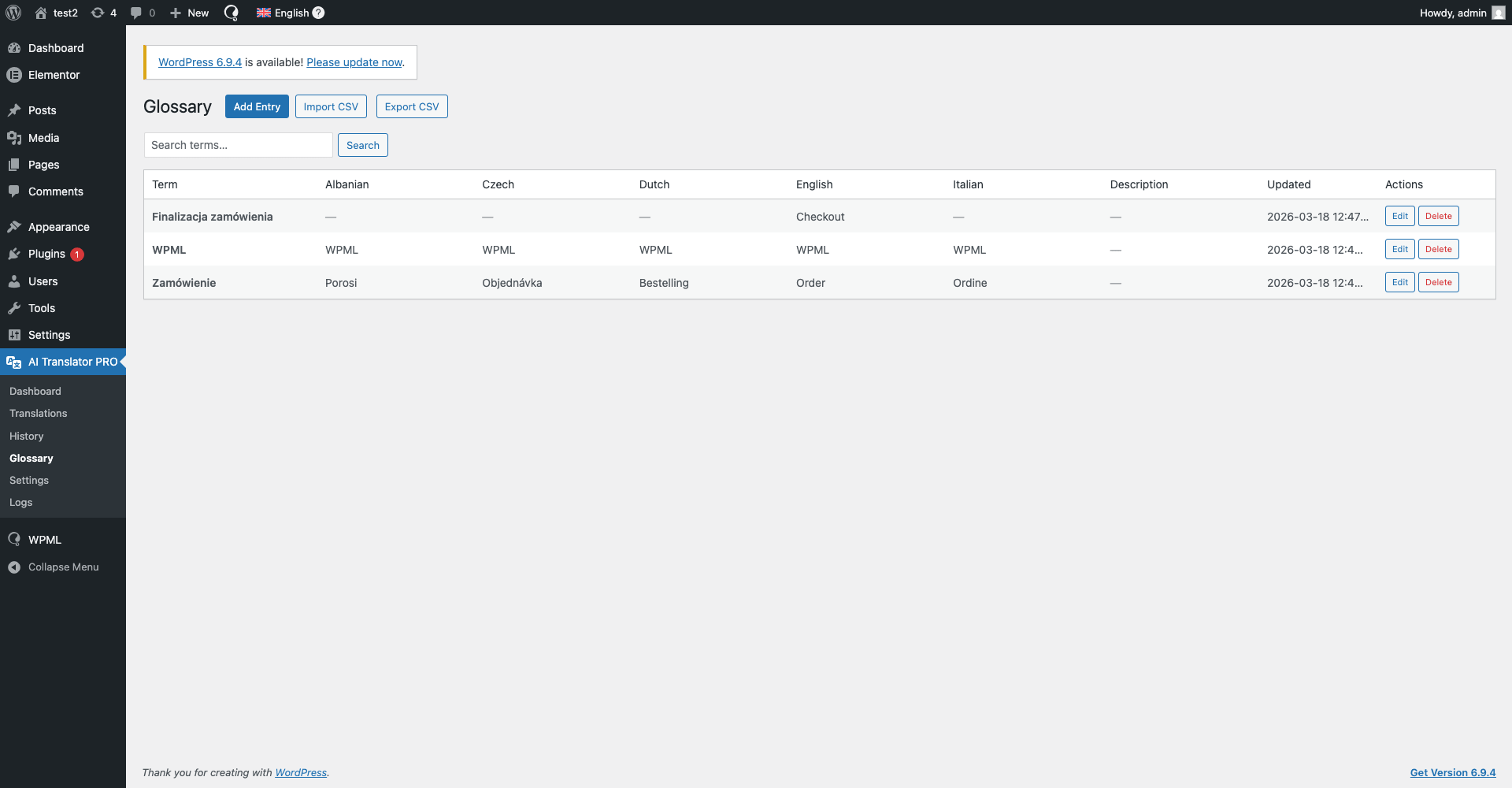
Glossary
Define preferred terms once and ensure they're used automatically across all translations.
Processing Modes
Run jobs Synchronous for instant results, Batch for around 50% lower cost, or Background (OpenAI only). Unsupported modes fall back to Synchronous instead of failing.
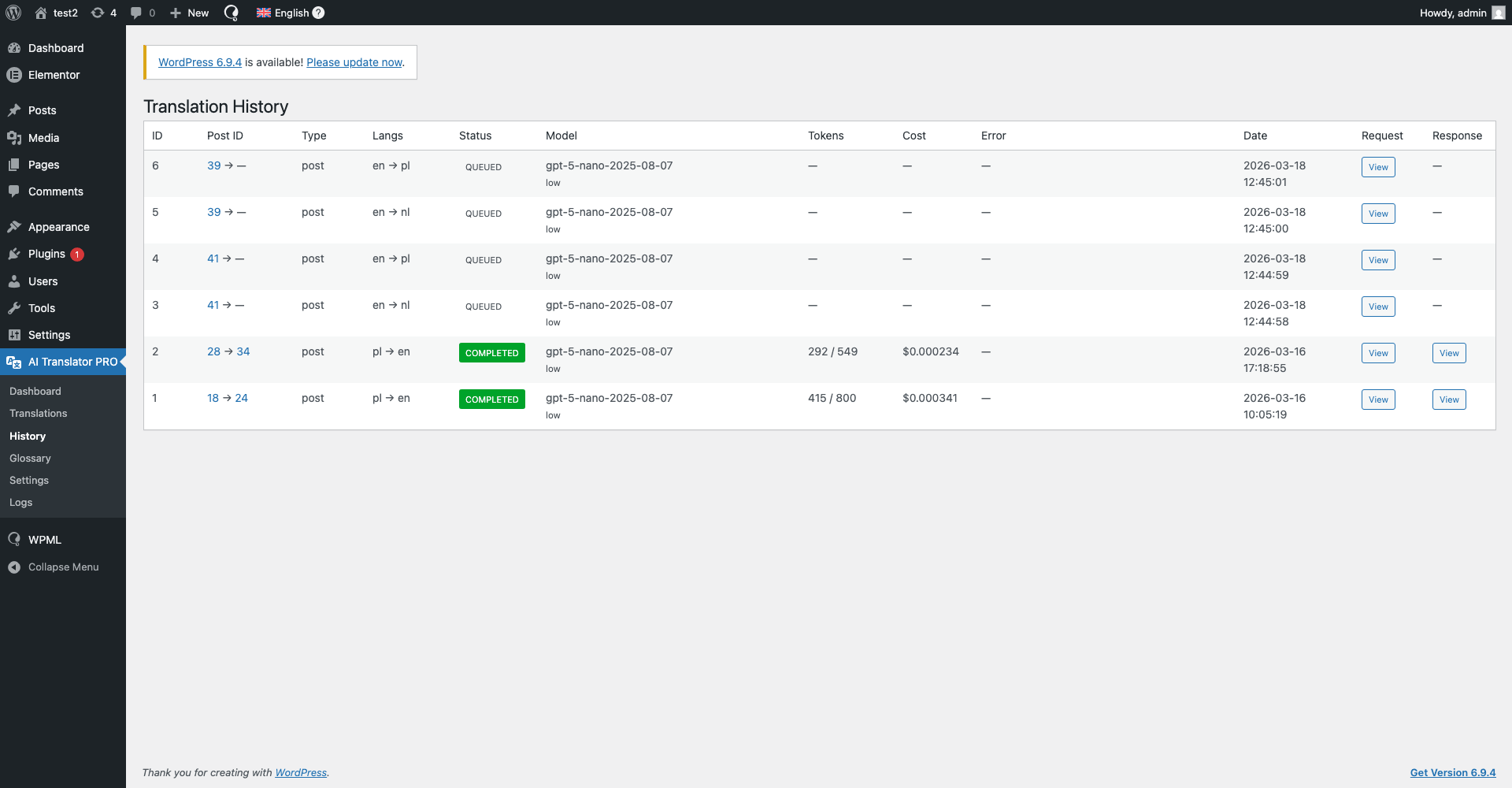
Translation History
Review every translation in one place - which model was used, the prompt sent, the exact response generated and what that job actually cost.
Custom prompt
Use your own prompt for special actions or add a glossary to your translations.
String Translation
Batch-translate all your WPML strings automatically - menus, buttons, plugin and theme text - straight from the plugin.
Custom Endpoint (OpenAI-Compatible)
Works with any OpenAI-compatible API. Plug in a model running on your own server, or connect Grok, Groq or OpenRouter and hundreds of other models.
Loved by developers and site owners
Real reviews from WordPress.org and feedback users sent us by email.
Check reviews on WordPress.org →









I'm Szymon
I've been coding for about 8 years, and honestly, I just enjoy sitting in my room and building things. Apps, plugins, side projects… especially the kind that make work easier, faster, or less annoying.
The first plugin started as an internal tool for another project of mine - Wishgram. We wanted to reach more people with our blog in different languages, but startup budgets are tight and premium auto-translation was way too expensive for us. So I built my own solution for automatic translations. After using it for a while, I realized how ridiculously good it was - and keeping it to myself just didn't make sense.
Pricing


Works with Everything WPML Supports
Seamlessly works with all WPML-compatible plugins thanks to full integration with WPML String Translation, ensuring every piece of content can be translated effortlessly.
Frequently asked questions (FAQ)
We're here to help with all your questions and answers in one place. Can't find what you're looking for? Reach out to our support team directly.
What is LATW AI Translation for WPML?+
LATW AI Translation for WPML is a WordPress plugin that works with WPML and automatically translates your website content using modern AI models. You choose the engine: OpenAI, Anthropic (Claude), Google Gemini, DeepL, Google Translate or MyMemory. It registers a dedicated "LATW AI Translator" user inside WPML Translation Management, so anything WPML can send for translation, the plugin can translate.
Do I need WPML to use this plugin?+
Yes. The plugin requires WPML and is designed to work exclusively with it. It will not function without WPML installed and activated.
Does this plugin work with multilingual plugins other than WPML?+
No. LATW AI Translation for WPML works exclusively with WPML and does not support other multilingual plugins such as Polylang, TranslatePress, Weglot or MultilingualPress. WPML is a strict technical requirement.
Does this plugin work with other builders and SEO plugins?+
Yes, this plugin supports all page builders that are compatible with WPML.
Can I use my own prompt?+
In Pro, yes - you set your own prompt in Settings → Translation and can lock terminology with the glossary. In the free version the prompt is fixed and shown read-only, but you can still add a website description that is sent with every translation.
Which AI providers can I use?+
Seven: OpenAI, Anthropic (Claude), Google Gemini, DeepL, Google Translate, MyMemory, plus a Custom endpoint (OpenAI-compatible) in Pro for any OpenAI-compatible API. Each engine keeps its own API key and its own selected model, so you can switch back and forth at any time without losing your configuration and without paying anything for the switch. MyMemory needs no API key at all, and the Custom endpoint's key is optional too.
What is the Custom endpoint engine?+
Your own model, or any OpenAI-compatible API. Pick "Custom endpoint (OpenAI-compatible)" as the engine, give it an address and a model name, and the plugin translates through it - a model running on your own server, or a gateway such as OpenRouter or Groq. The API key is optional, and you enter what the model costs so the History page still shows real numbers. Activating this engine is a Pro feature.
Which models are available?+
OpenAI: GPT-6 luna and GPT-5.4 nano in the free version, plus GPT-6 sol, GPT-6 astra, GPT-5.5 and more in Pro. Google Gemini: Gemini 3.5 Flash Lite in the free version, plus Gemini 3.8 Flash, 3.6 Flash and 3.5 Flash in Pro. Anthropic: Claude Opus 5.5, Claude Sonnet 5 and Claude Haiku 4.5, all in Pro. DeepL, Google Translate and MyMemory are dedicated machine-translation engines and do not require a model choice.
What is the difference between the LLM providers and DeepL / Google Translate / MyMemory?+
OpenAI, Anthropic and Gemini are large language models: they read the whole page, follow your website description, custom prompt and glossary, and are billed per token. DeepL, Google Translate and MyMemory are dedicated machine-translation engines: they are fast and predictable, take no instructions, and are billed per character - MyMemory is free within its daily quota.
What are processing modes?+
They decide how your translation jobs are sent. Synchronous returns translations immediately. Batch is around 50% cheaper but delayed. Background is available for OpenAI only. If you pick a mode the selected provider cannot serve, the plugin falls back to Synchronous instead of failing the job.
Do I need my own API key?+
Yes. You must provide your own API key for the provider you want to use. This ensures translations are processed directly between your site and that provider, and the plugin author never accesses your content or API usage.
Where can I find my API key?+
In your account with the chosen provider: OpenAI (API Keys), Anthropic Console, Google AI Studio for Gemini, the DeepL account page, or Google Cloud for Google Translate. Create a key, then copy and paste it into the plugin settings in WordPress. Make sure the account has an active billing method enabled. MyMemory needs no key, so you can start translating before setting up any provider account.
Does the plugin send my content through your servers?+
No. All content is sent directly from your WordPress site to the API of the provider you selected. The plugin developer does not receive, store or process your content in any way.
What kind of content can be translated?+
Posts, pages and custom post types, taxonomies, ACF fields, builder content from Elementor and Bricks, SEO metadata for Yoast, Rank Math, SEOPress and All in One SEO, and WPML String Translation strings. WooCommerce products, attributes and variations are handled in Pro. Only content you explicitly select for translation is processed.
What is the "fallback version"?+
The fallback version is the latest version of the plugin available at the moment your subscription started. If your subscription expires you can keep using this version indefinitely, but without updates or support. The plugin is never disabled.
What happens when my subscription expires?+
After expiration: the plugin continues to work in the fallback version (the version available at the start of your subscription), updates and support are disabled, new features and bug fixes are no longer available. You can renew your subscription at any time to regain access to updates and support. The free version keeps working regardless, with no license at all.
How does licensing work?+
Licenses are domain-based: 1 license = 1 domain. Available packages: 1, 2, 5 or 10 domains. A license may not be shared across more domains than purchased.
Is the plugin free?+
Both. There is a free version on WordPress.org and a paid Pro subscription. The free version translates unlimited content into every language configured in WPML using MyMemory, Google Translate, OpenAI GPT-6 luna and GPT-5.4 nano or Gemini 3.5 Flash Lite - it is not a trial and it does not expire. Pro adds bulk translation, re-translating only what changed, a custom prompt, a glossary, WooCommerce support and the Claude, DeepL and premium OpenAI and Gemini models. API usage is always billed separately by the engine you choose.
Are translations always accurate?+
No. Translations are generated by AI models and may require review. We strongly recommend manually reviewing translations before publishing them on a live website.
Does the plugin support automatic translations in bulk?+
Yes. Bulk translation - queueing dozens of posts in a single action instead of assigning them one at a time - is a Pro feature. Batch mode, which sends a job to the provider's Batch API for roughly half the price, is available in the free version too. The two solve different problems: Batch is about price, bulk is about volume.
Can I translate from a chat with Claude or ChatGPT (MCP)?+
Yes, in Pro. LATW for WPML includes an MCP server: connect your site once to Claude or ChatGPT, then ask the assistant to translate a post, page or product. It reads the content through WPML, translates it inside the subscription you already have - so there is no API key and no per-token charge - and publishes the result as a WPML-linked translation with blocks and internal links intact. The assistant can also translate the URL slug if you ask.
What is Automatic translation and how does it work?+
Automatic translation is a Pro feature that keeps new content translated without you touching anything. You choose which post types it should cover and which of your WPML languages they should be translated into. From then on the plugin listens for new content: the moment a post of a selected type is created, it is sent for translation into every selected language using the engine, model, prompt and glossary you already configured. Jobs go through WPML Translation Management exactly as manual ones do, so they land in the same place and can be reviewed the same way. To keep cost predictable you can set a daily limit on the number of translations, a daily spending cap, or both - when a limit is reached the plugin stops sending new jobs and picks up again the next day, so nothing is skipped.
Does the plugin store translations or logs?+
Translations are stored only in your WordPress database. Technical logs (if enabled) are stored locally on your server. No data is sent to or stored by the plugin author.
Do you offer refunds?+
Yes. Every paid plan comes with a 14-day money-back guarantee. If the plugin is not right for you, email szymon.zawadzki@llm-automatic-translation.top within 14 days of purchase and we will refund the licence fee in full, no questions asked. The refund covers the plugin licence only - API costs you paid directly to OpenAI, Anthropic, Google or DeepL are billed by those providers and are not refundable by us.
Is this plugin compliant with GDPR?+
Yes. The plugin processes content under the responsibility of the website owner and does not collect or store personal user data.
What happens if a provider or WPML changes their API?+
The plugin depends on third-party services. If changes occur, updates may be required to maintain compatibility. Updates are available only with an active subscription.
How can I get support?+
During an active subscription, support is available via szymon.zawadzki@llm-automatic-translation.top.
Translate your site right now
Get access to a plugin that will translate your website quickly, cheaply, and securely.
Get plugin